steamac · Apple Silicon · macOS 15+
SteamOS
On your Mac
SteamOS
На вашем Mac
Valve's official ARM64 SteamOS — the Steam Frame build — running in a lightweight VM on Apple Silicon. GPU-accelerated Windows games, any controller, native sound. Официальный ARM64 SteamOS от Valve — сборка для Steam Frame — в лёгкой ВМ на Apple Silicon. Windows-игры с ускорением графики, любой геймпад, родной звук.
Recorded, not renderedЭто запись, а не рендер
Real games, real SteamНастоящие игры, настоящий Steam
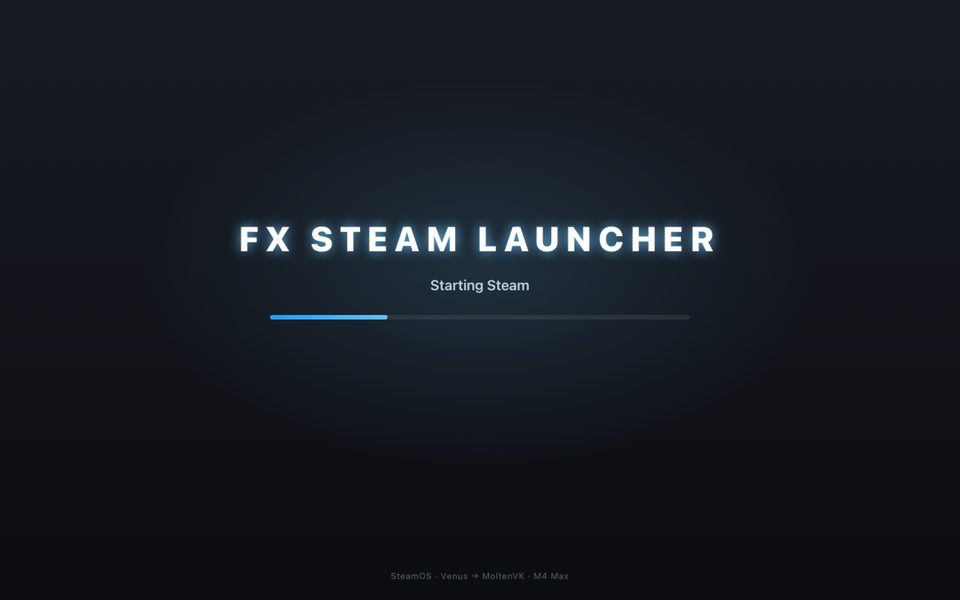
The screen above is a screen recording of the launcher window on an M4 Max: SteamOS boots, Steam opens and Galaxy Control launches, in real time. The only edits: the window frame is cropped, and the waits on a black screen and frame hitches are cut out. Экран выше — запись окна лаунчера на M4 Max: загрузка SteamOS, открытие Steam и запуск Galaxy Control в реальном времени. Из правок только обрезана рамка окна и вырезаны ожидание на чёрном экране и подтормаживания кадров.
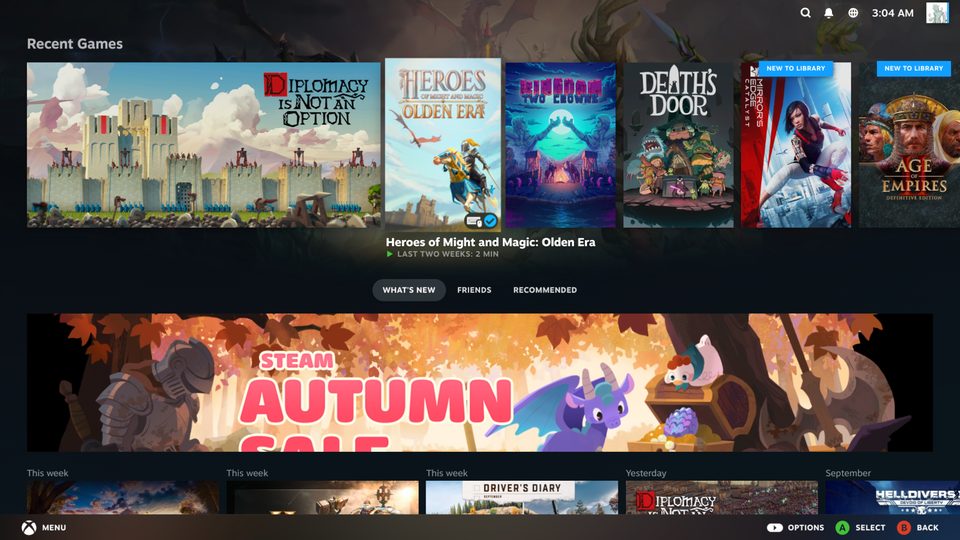
Death's Door
DirectX 11 · DXVK → Venus → MoltenVK. The first game that ran.DirectX 11 · DXVK → Venus → MoltenVK. Первая игра, которая запустилась.
Heroes of Might and Magic: Olden Era
Unity · DirectX 11. Seven minutes of play without a single error.Unity · DirectX 11. Семь минут игры без единой ошибки.
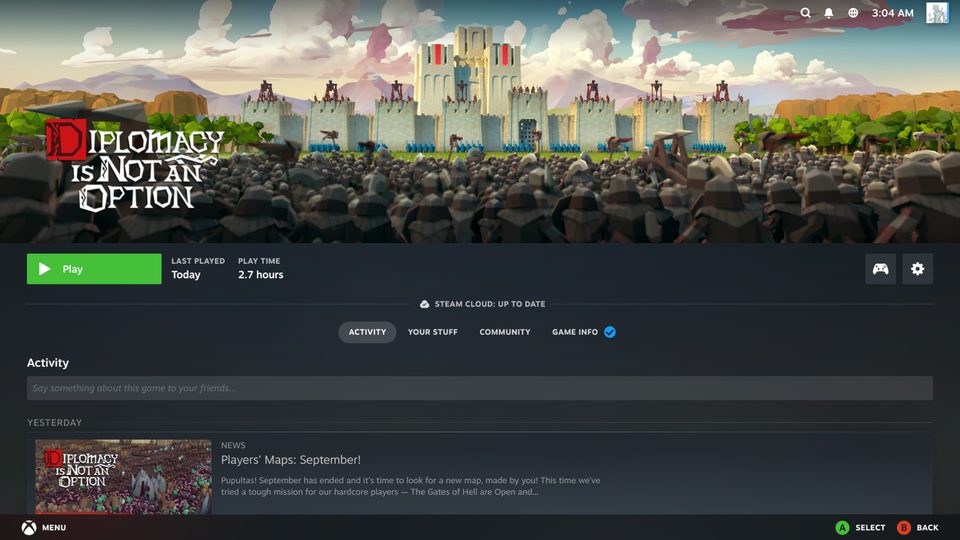
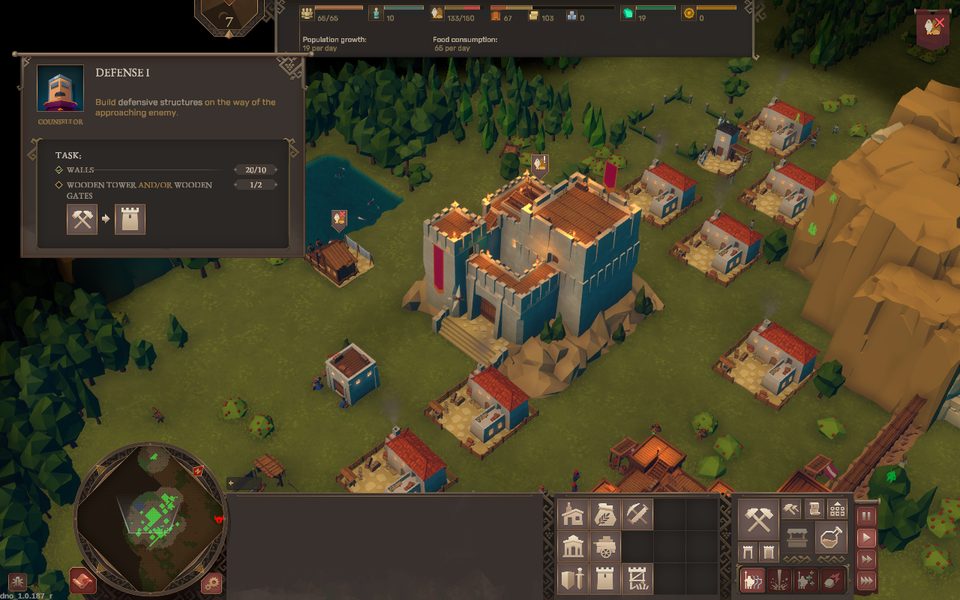
Diplomacy is Not an Option
Unity · Windows x86-64 via Proton 11 and FEX. In the screenshots above.Unity · Windows x86-64 через Proton 11 и FEX. На скриншотах выше.
Honest limitsЧестные ограничения
- DirectX 12 (vkd3d-proton) doesn't run yet: MoltenVK lacks features it needs.DirectX 12 (vkd3d-proton) пока не работает: MoltenVK не даёт нужных возможностей.
- Anti-cheat that blocks virtual machines won't let you in.Античиты, блокирующие виртуальные машины, не пропустят.
- First-time effects stutter while Metal compiles the pipeline (~50–100 ms); after that it's cached, even across VM restarts.Новые эффекты подтормаживают, пока Metal компилирует конвейер (~50–100 мс); дальше всё из кеша, даже после перезапуска ВМ.
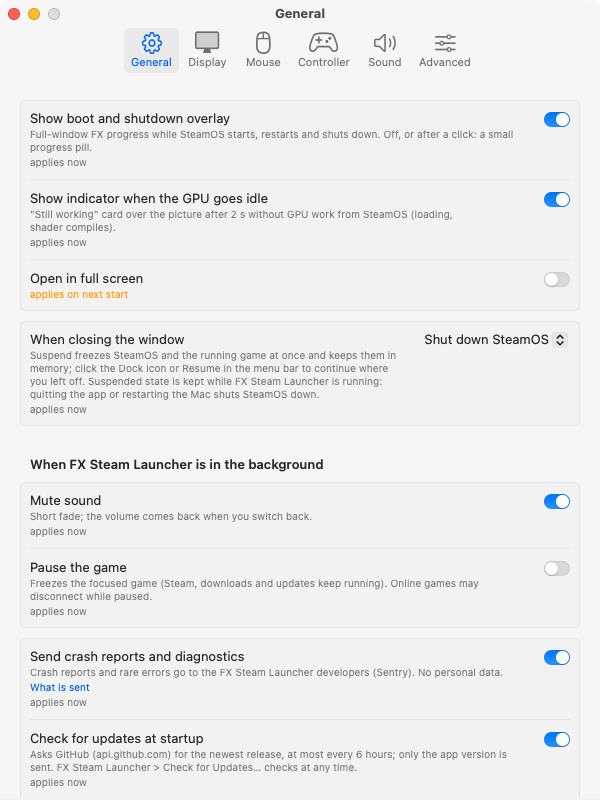
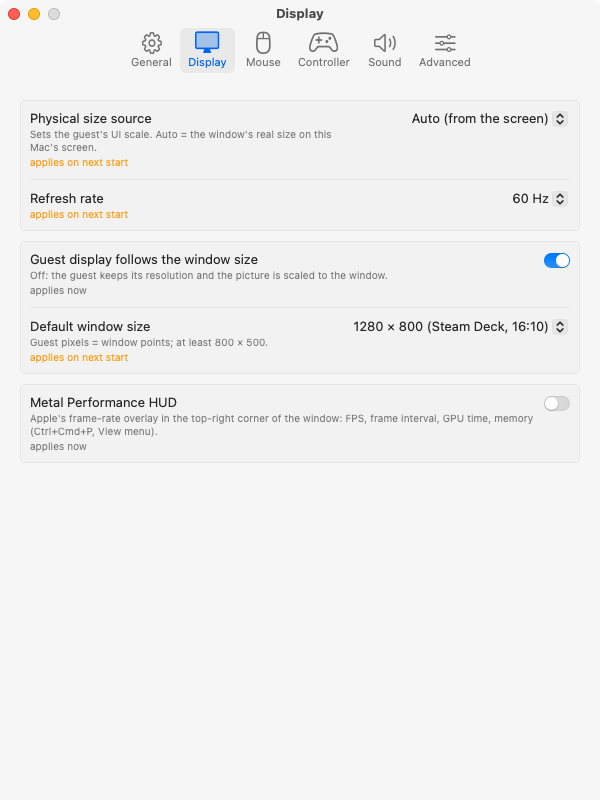
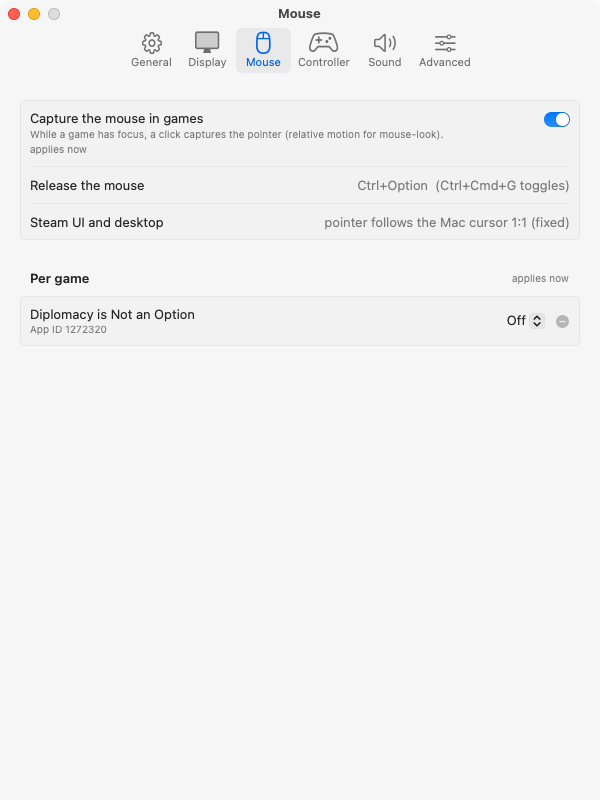
Settings · ⌘,Настройки · ⌘,
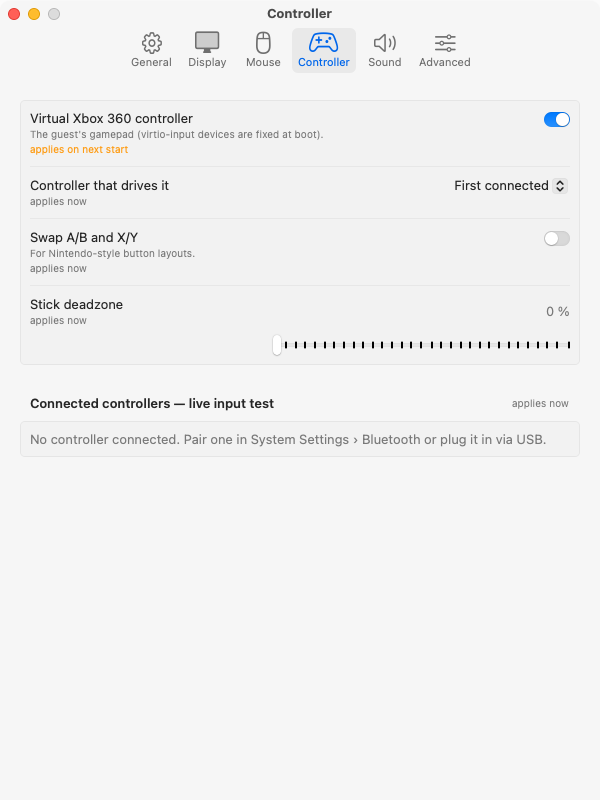
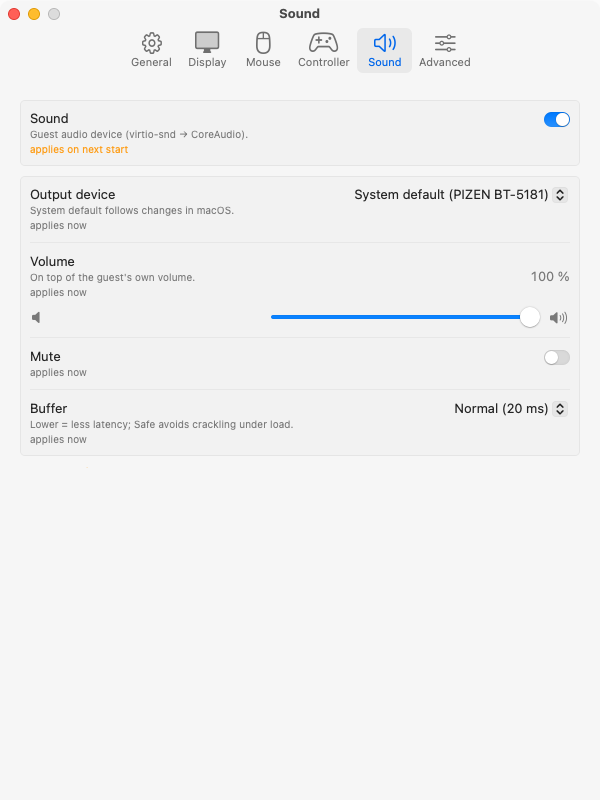
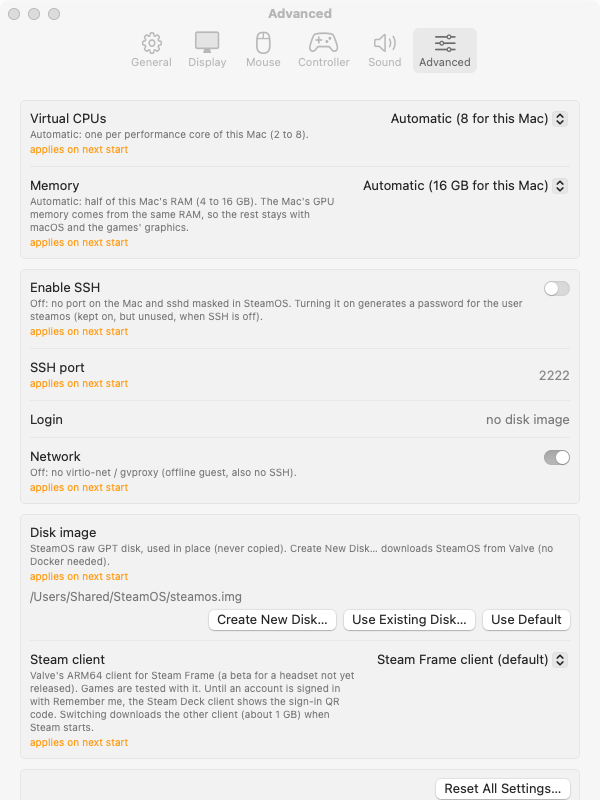
Every knob, one windowВсе ручки — в одном окне
Six tabs. Anything marked “applies now” changes the running SteamOS on the spot; the rest takes effect on the next start. Шесть вкладок. Всё, что помечено «applies now», меняется в работающем SteamOS сразу; остальное — при следующем запуске.
Get itНачать
Put SteamOS on your MacПоставьте SteamOS на свой Mac
- Download the DMG, open it and drag FX Steam Launcher to Applications. It is signed and notarized by Apple.Скачайте DMG, откройте и перетащите FX Steam Launcher в «Программы». Приложение подписано и нотаризовано Apple.
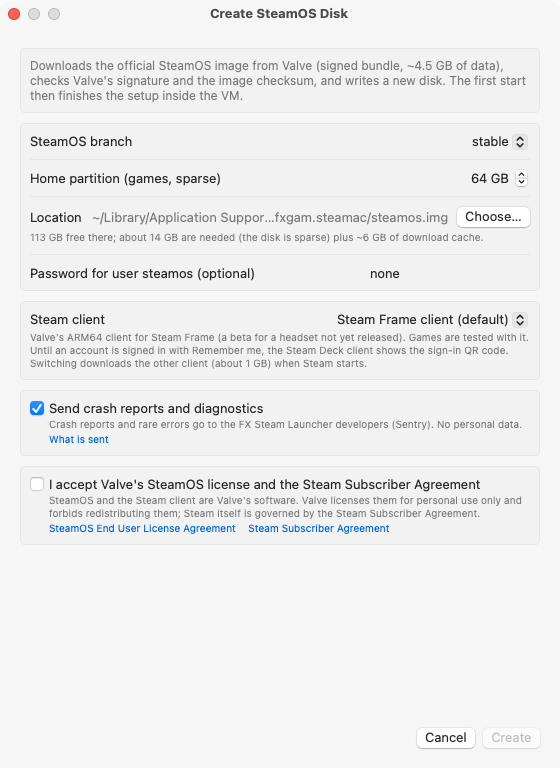
- Launch it and choose Create New Disk…: pick the SteamOS branch, the size of the games partition and the Steam client, and accept Valve's SteamOS license and the Steam Subscriber Agreement. The launcher downloads Valve's signed image (~4.5 GB), checks the signature and checksum and writes the disk. No Docker needed.Запустите и выберите Create New Disk…: укажите ветку SteamOS, размер раздела под игры и клиент Steam, примите лицензию SteamOS и Steam Subscriber Agreement от Valve. Лаунчер скачает подписанный образ Valve (~4,5 ГБ), проверит подпись и контрольную сумму и запишет диск. Docker не нужен.
- Sign in to Steam and install games — Steam brings Proton 11 (ARM64) and FEX itself.Войдите в Steam и ставьте игры — Proton 11 (ARM64) и FEX Steam поставит сам.
New in 1.4Новое в 1.4
- Software Update: at startup the app asks GitHub for the newest release (at most every 6 hours, only the app version is sent) and shows its notes with Download / Skip / Later; Check for Updates… is in the app menu, and the check can be turned off in Settings → GeneralОбновления: при запуске приложение спрашивает у GitHub последний релиз (не чаще раза в 6 часов, отправляется только версия приложения) и показывает его описание с кнопками Download / Skip / Later; Check for Updates… — в меню приложения, проверку можно выключить в Settings → General
- The VM is sized for your Mac: one vCPU per performance core (2–8) and half of the RAM (4–16 GB); Custom in Settings → Advanced warns when you over-commitРазмер ВМ подбирается под ваш Mac: vCPU по числу производительных ядер (2–8) и половина памяти (4–16 ГБ); в режиме Custom в Settings → Advanced есть предупреждение, если выделено слишком много
- Steam's Shader Pre-Caching and background shader processing are off by default: replaying them costs minutes on Venus/MoltenVK and the shared caches barely match. Your own choice in Steam's settings winsShader Pre-Caching и фоновая обработка шейдеров в Steam по умолчанию выключены: на Venus/MoltenVK их прогон занимает минуты, а общие кеши почти не подходят. Если включить их в настройках Steam, ваш выбор сохраняется
- MoltenVK: vertex input Metal would reject now fails the pipeline cleanly instead of crashing the VMMoltenVK: вершинные данные, которые Metal отверг бы, теперь просто не создают конвейер, а не роняют ВМ
Or build everything from sourceИли соберите всё из исходников
# MoltenVK, virglrenderer, libkrun, launcher,
# guest kernel, Mesa and the SteamOS disk
git clone https://github.com/fxgl/steamac
cd steamac
./build.sh
./run.shRequirementsТребования
- Mac with Apple silicon, macOS 15 or laterMac на Apple silicon, macOS 15 или новее
- ~20 GB free to create the disk (about 14 GB disk + 6 GB download cache); the disk is sparse and grows as you install games~20 ГБ свободного места на создание диска (около 14 ГБ диск + 6 ГБ кеш загрузки); диск разреженный и растёт по мере установки игр
- To build from source: Xcode 26+, Homebrew, rustup, OrbStackДля сборки из исходников: Xcode 26+, Homebrew, rustup, OrbStack
Crash reports and rare errors go to the developers' own Sentry server: no name, IP, Steam account, game titles or files. Turn them off at first run or in Settings → General.Отчёты о сбоях и редких ошибках уходят на собственный Sentry-сервер разработчиков: без имени, IP, аккаунта Steam, названий игр и файлов. Отключаются при первом запуске или в Settings → General.